
Table of content
The Speak2 Family (Community) app is available on iOS and Google Play store for family and friends of your residents. Invite one person to the app, and they will manage the app and invite more contacts.
Privacy is off by default. The family will see the feed in their app.
Turn this on (toggle will turn green) if you do not want families to view the Feed.
Family app features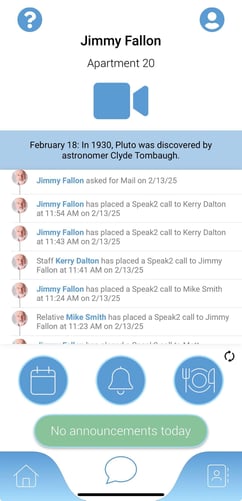
- Make live video and audio calls
- Send audio and photo messages
- Manage contacts
- View dining menu
- View activity menu
- View community announcements
- Set Alexa notifications
- View resident feed
Family App Cheat Sheets
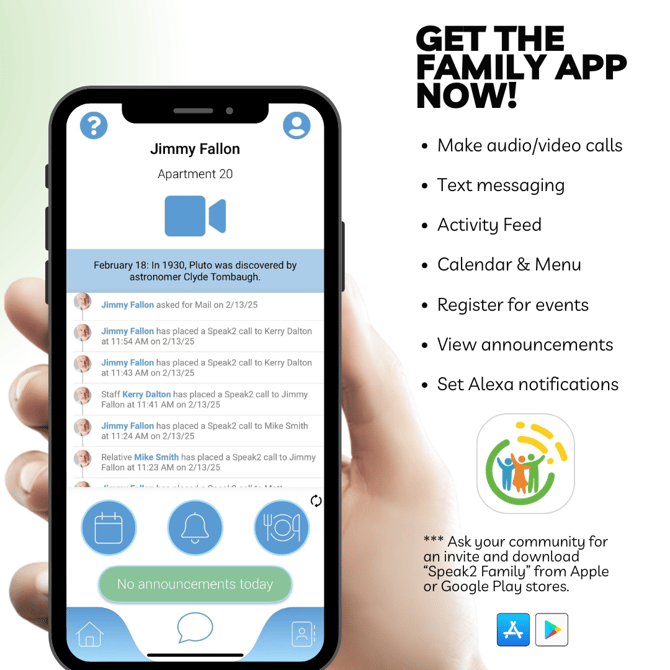
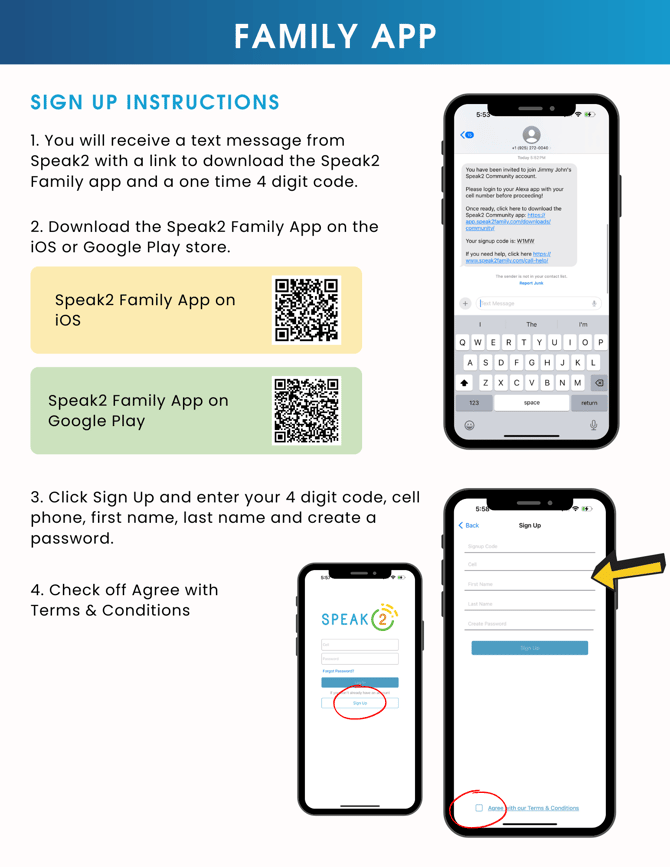
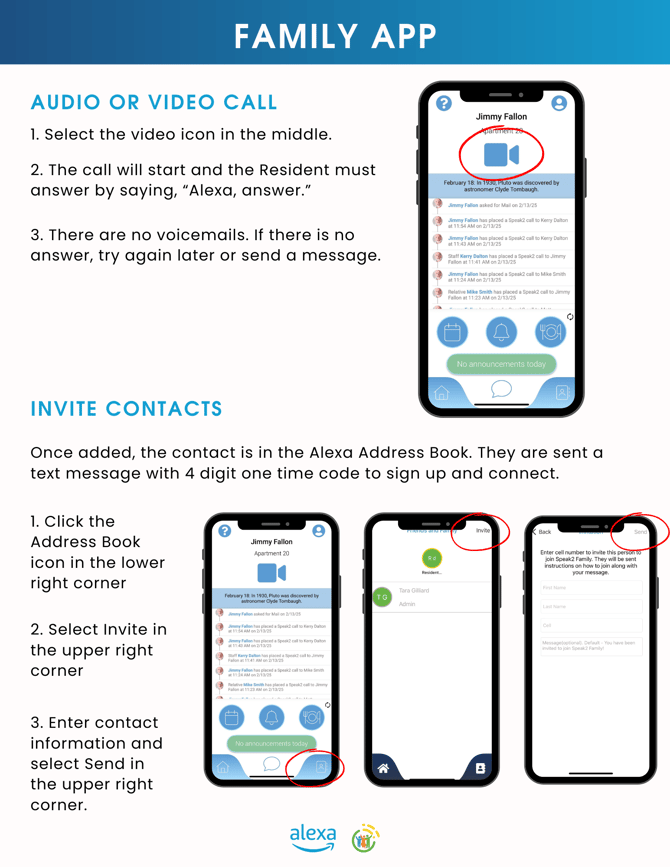
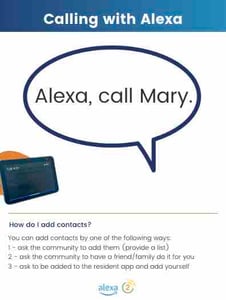
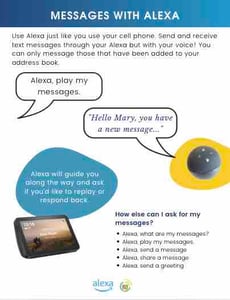
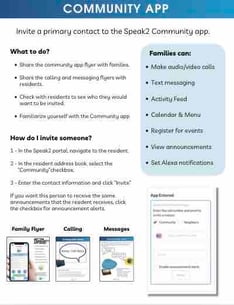
Share cheat sheets with families, residents and staff. Click to download and you can email or print.
For families:
For residents:
| Calling instructions | Messaging instructions |
 |
 |
For staff:
| Staff overview |
 |
Invite a family member to the Community App

- Go to the Resident Record
- Click their name and go to Address Book tab
- Under App Users click "Invite to app"
- Check "Family" app
- Add their phone number and email
- Click Announcements (Optional)
- They will receive a one time code and sign-up text.
There is only one relationship manager. It can be a family member or resident - your choice. You can invite multiple people to the app, but only one main account holder.
Relationship Manager
The relationship manager is the first person you invite under the Resident Record > Address Book > App Users. They will be the main account holder. You can still invite others to the app.
Hide the Feed in the Community app
If you want to hide the feed in the resident app, toggle "Social Opt Out" to "On" in the resident record. This will hide any social or feed details in the app.
Learn more here: Hide residents from the directory
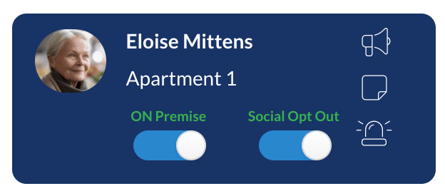
The feed includes any resident or staff interaction with Alexa, like visiting and leaving apartment, asking for help, asking for the menu, or smart home going online or offline.