
Table of content
Community Contacts
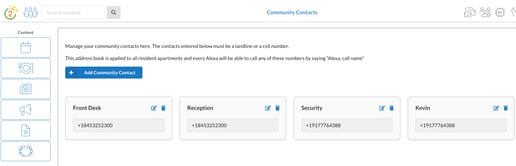
Create an address book that every resident's Alexa can access.
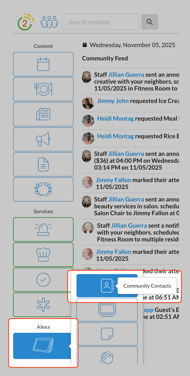
- Add the Front Desk, Reception, Security, or any important community contacts.
- Cell phone numbers or landline numbers, no extensions or international numbers.
- Phone numbers are available immediately.
- Contacts are automatically shared with every resident and apartment.
- When an Alexa calls this number, it will show as a randomly generated number. It cannot show their room name.
Edit or Add Community Contacts
- On the left hand navigation, click Alexa > Community Contacts
- Click the blue "+ Add Community Contact" to add a new contact
- Enter in the phone numer and name and click Add
- Click the pencil icon to edit any details
- Click the trash icon to remove the contact
You cannot add extension numbers or use international phone numbers. If the phone call does not go through, please check that the number is correct and able to accept phone calls.