
Table of content
Resident Records
In the resident record, navigate to the Dietary tab. You can select Diets, add Doctor's Notes, share Alcohol, Preferences and Dietary Restrictions.
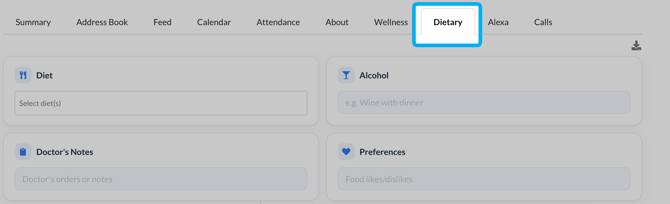
Check any restrictions that apply to a resident, and Speak2 will flag it when that resident or a staff member tries to order food that conflicts with them.
Dining Meals & Cookbook
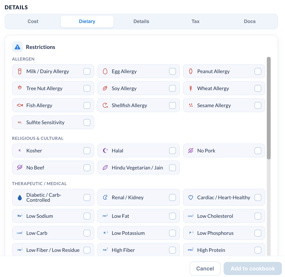
When you create a meal in the Dining Cookbook, use the restrictions tab to tag which dietary restrictions it conflicts with.
If a resident has "Low Sodium" as a restriction, and a Meal has "Low Sodium" in this tab, a notification will be presented to the resident or staff when ordering that meal.
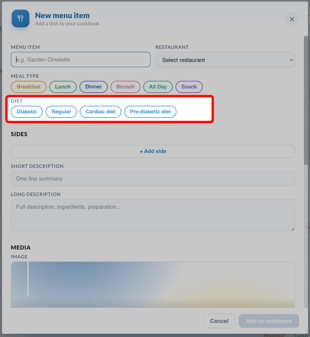 In Cookbook, add Diet and Dietary Restrictions:
- Select the Diet type here
- Scroll down below Details and select "Dietary"
- There you can select specific dietary restrictions and components.
Dining App
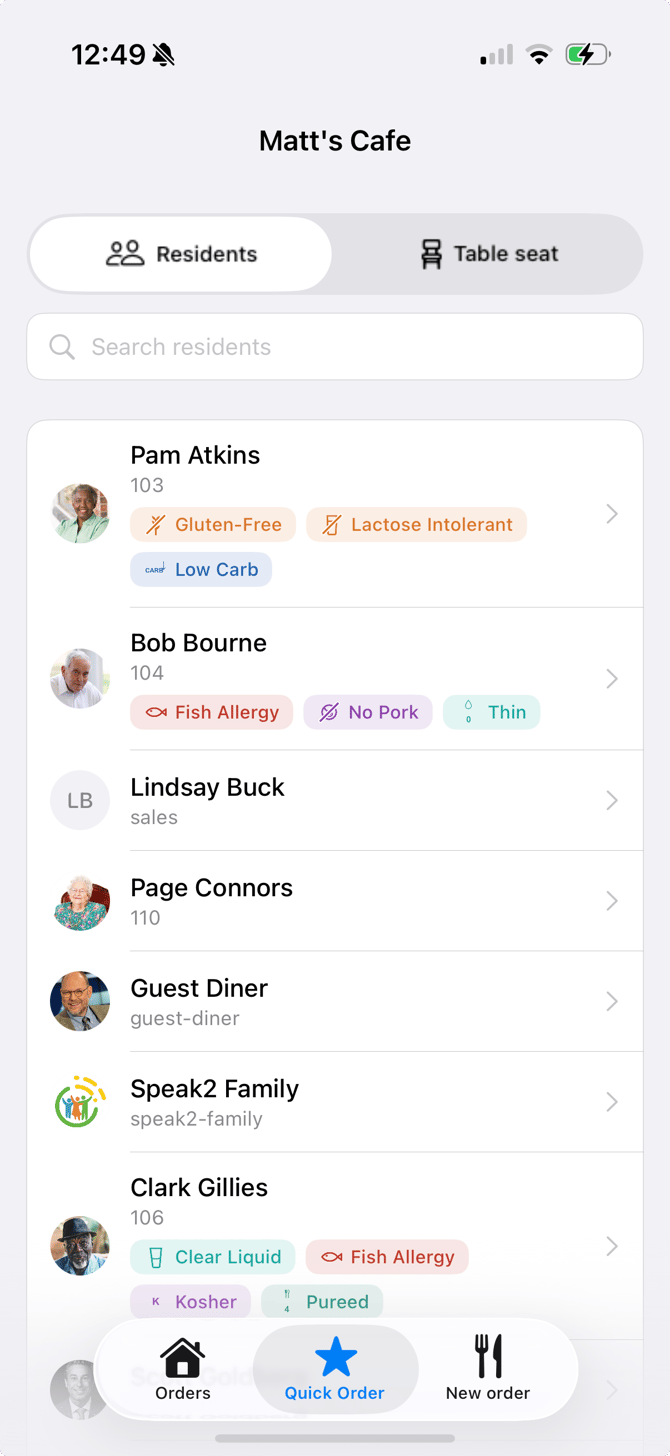
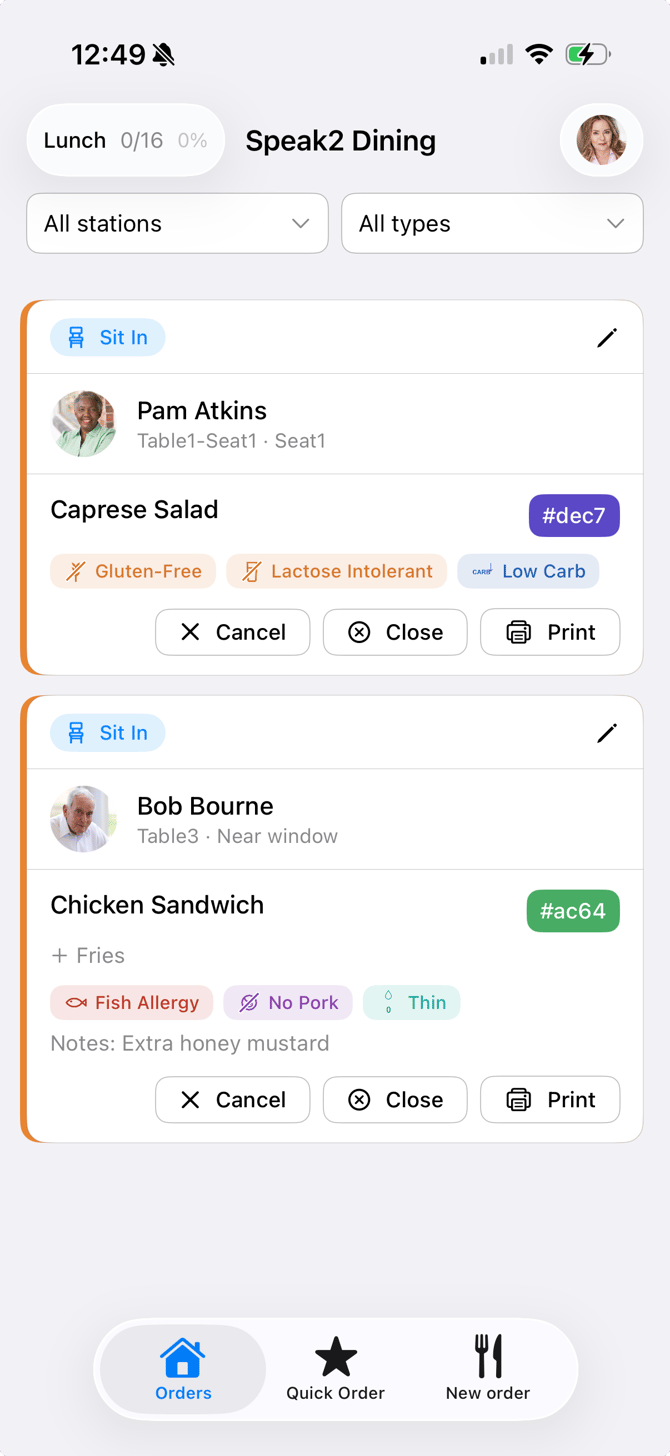
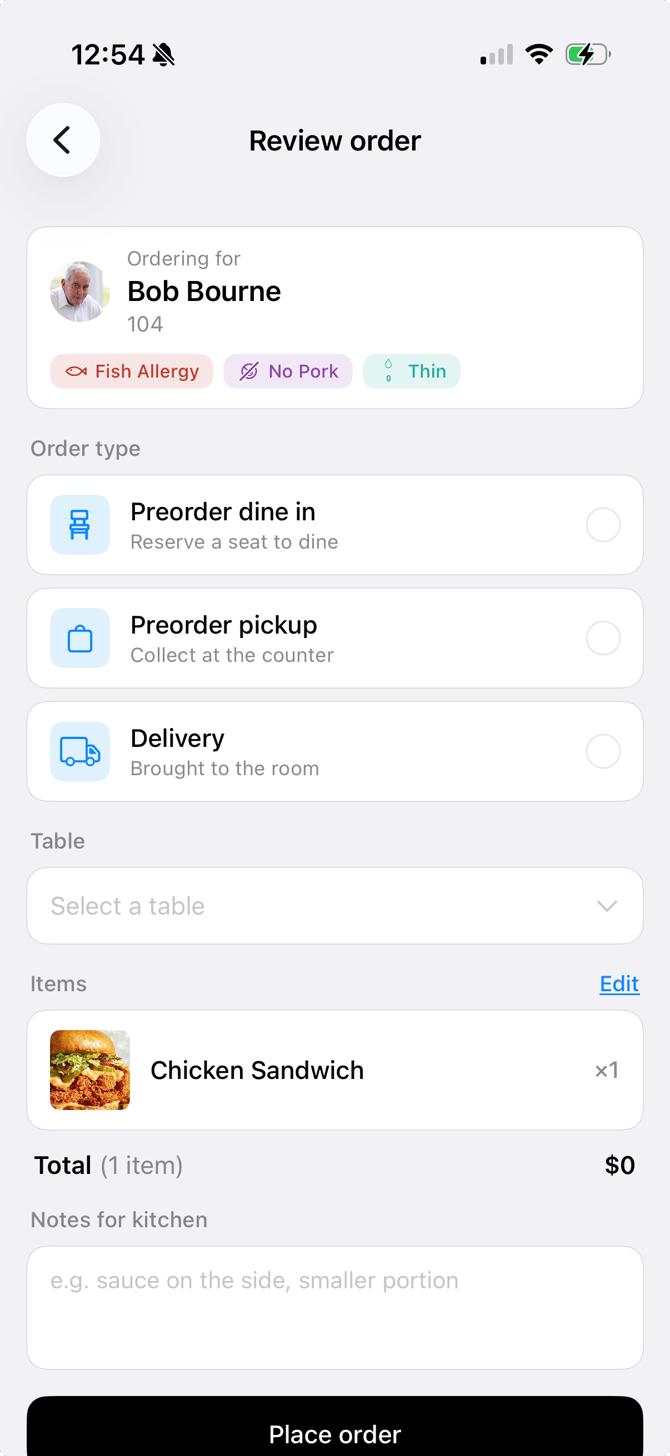
When you select a resident for an order, their dietary restrictions appear on screen. Conflicts show on the summary page, and an alert pops up if the order violates a restriction.
|
Resident Selection
|
Order Meal Card
|
Order Summary
|
If you are relying on Speak2 to identify conflicts, please be sure to keep resident records and meals updated with the correct information.